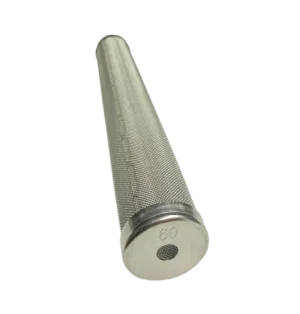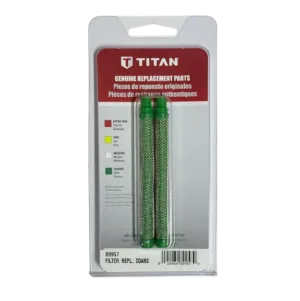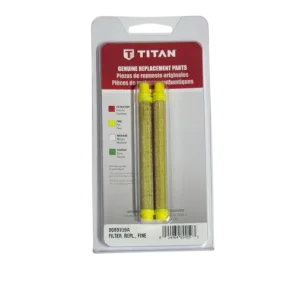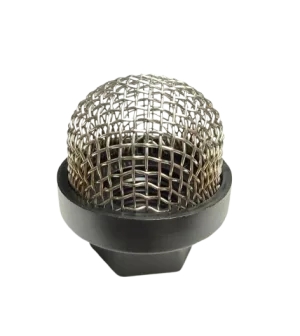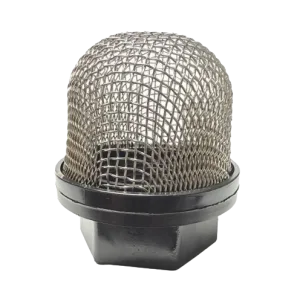
An Impact 540 filters paint in three places: the inlet screen at the end of the suction set (700-805), the 60 mesh manifold filter in the pump block (730-067), and the filter in the gun (0089957 coarse or 0089959 100 mesh). A partly blocked one causes pressure loss, pulsing and spitting. Clean the gun filter and inlet screen first, because they are the easiest to reach.
Three filtering stages, in the order the paint meets them
Airless systems usually have a suction or inlet strainer, a pump filter and a gun filter, and the Impact 540 follows that pattern. Paint is drawn up the siphon tube through the inlet screen, passes through the manifold filter after the pump, and meets the gun filter just before the tip. Each stage catches what the one before it missed, and each one is a place where dried paint or grit can starve the tip.
A partly blocked filter does not usually stop the sprayer outright. It shows up as pressure loss, pulsing at the gun, or spitting. Because the symptoms overlap with a worn tip or worn packings, filters are the quickest thing to rule out first. Titan's Impact 640 manual says the same: inspect the pump filter and the gun filter and clean or replace them, because dirty filters cause a poor spray pattern and clogged tips. Your own manual is the place to confirm the details for your 540.
Impact 540 filter stages
| Stage | Part | What a clog does |
|---|---|---|
| Inlet screen (suction side) | 700-805 Inlet Screen Filter; 710-046 Inlet Screen on the main assembly page | Starves the pump: hard to prime, air gulping, no pressure |
| Manifold (pump) filter | 730-067 60 Mesh Manifold Filter | Pressure loss, pulsing, poor pattern |
| Gun filter | 0089957 coarse (green), 0089959 100 mesh (yellow) | Spitting, a pattern that thins out, a tip that seems to clog |
Colour names come from the part names on the site. Check the instructions packed with your gun for how the filter you choose suits your coating.
Inlet screen and suction set
The first filter is at the bottom of the suction set. The Impact 540 Suction Set Assembly page lists the 700-805 Inlet Screen Filter at callout 5, beside the suction set assembly 0558672A, the return tube 0558659A, an O-ring 9871105 and a retaining clip 9822526. On the Main Assembly page the siphon tube is 805-408 and a separate inlet screen, 710-046, is listed at callout 37.
This is the filter to check when the pump will not draw paint. Titan's Impact 640 and 1040 manuals list a clogged inlet screen or a clogged siphon tube or suction set as a cause of a sprayer that will not prime, and give the same fix: remove and clean. They also list an air leak at the siphon tube or suction set (tighten it or re-tape the thread with PTFE tape) and the PRIME/SPRAY valve left in SPRAY. A screen packed with dried paint takes a few minutes to clean, so look there before you open anything on the pump.
The manifold filter
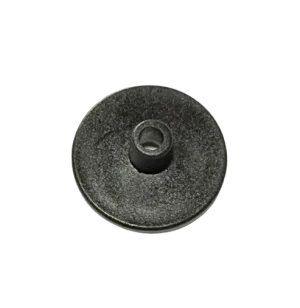
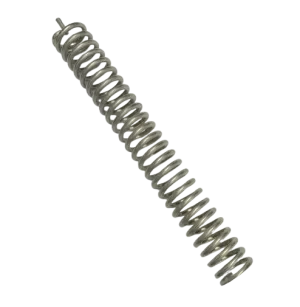
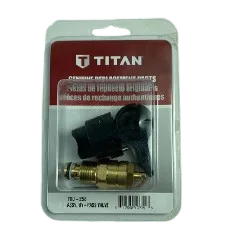
The second stage sits in the pump block. Titan lists a full-size manifold filter on the Impact 540, and the site's diagram lists a 60 mesh element, 730-067. On the 540 the filter parts share the Fluid Section Assembly page The filter parts are listed as separate items, which is useful: if the element is clean but a spring is missing or the gasket is damaged, you can order that one part instead of the whole stack. The same filter parts appear on the Impact 440 and 640 fluid section pages as well. The PRIME/SPRAY valve is on the same Fluid Section page and gets mistaken for a filter problem more than any other part. Titan's Impact 640 and 1040 manuals list a PRIME/SPRAY valve left in the SPRAY position as a cause of a sprayer that will not prime. If yours will not prime, turn it to PRIME before anything else. The parts the diagram lists for it are: If the handle turns loosely or leaks, those four items are where to look on the diagram. Confirm the fit by callout before you order. The last filter is in the gun, and it is the one you will clean most. The Impact 540 Accessories page lists 0089957, a coarse green gun filter sold as a 2-pack, and 0089959, a 100 mesh yellow filter. The site also sells 0089960, an Extra Fine Mesh Filter (Red); it is not on the 540 pages, so confirm fitment with our parts team before you order it. A gun filter that is clogged makes the sprayer behave as though the tip is worn: the fan thins, paint spits, and pressure at the gun drops while the sprayer sounds normal. Pull the filter and look before you replace the tip. If the tip is the problem, a worn tip has a wider orifice, the pressure falls and the pattern turns coarse or streaky, so the tip is the next thing to check. Pulling a gun filter takes a minute, which is why it comes first. Use the procedure in your Impact manual. The Impact 640 manual describes locking the gun, turning the sprayer off, turning the pressure knob to OFF and triggering into a grounded metal container; check your 540 manual for its own wording. Manuals are on our manuals page. Flush the gun outdoors, away from the pump, as the manual describes, so that less wet paint reaches the filters to dry in them. Remove it, rinse it clean of the coating you sprayed and inspect it. Replace it if the mesh is damaged or will not come clean. It is at the end of the suction set, so it is easy to inspect and rinse after every job. Open it, check the element, springs and gasket, and clean or replace what needs it. Do this when you see pulsing or pressure loss, and at the end of a job when you used heavy coatings. Titan gives no service interval for any of these filters, so there is no number of gallons or hours to quote. The working rule is to clean after every job and to replace a filter when it will not come clean or the mesh is damaged. Keep a spare gun filter and a spare inlet screen on the truck. Filters and filter parts for the Impact 540, with live prices: When an Impact 540 will not prime, spits, pulses or loses pressure, work in this order: PRIME/SPRAY valve position, inlet screen, gun filter, manifold filter, then the tip, and only then the packings and valves. Most of the parts above are listed on three diagram pages: Fluid Section, Suction Set and Accessories. Call (713) 931-0006 with your sprayer model and serial number and our parts team will confirm the filter before you order.Manifold filter parts on the 540 Fluid Section page
The prime/spray valve
Gun filters
A cleaning routine that keeps all three clear
Relieve pressure
Flush the system
Clean the gun filter
Clean the inlet screen
Inspect the manifold filter
Start with the cheap ones
Not sure which filter part you need?