
Crisp lines from a PowrLiner 850 come from layout, setup and consistency. Mark the line first, lock the front wheel for straight runs, keep the gun square and at a steady height, walk at an even pace, and change a worn tip or blocked gun filter at the first sign of tailing. Raise pressure only as far as it takes to clean the edges.
This guide assumes you can already run an 850 and want cleaner results; if you do not, start with the first-job setup guide on this blog. Titan's own list of 850 features gives you most of the controls that matter for appearance: a front wheel that locks straight or casters free, a reversible gun mount that stripes off the front or rear tire, a removable gun for stenciling and DirectLink pressure control. The rest is consistency, which is mostly habit. No figures below are measured on a job site; they are general airless practice and Titan's manual.
Layout before paint
A straight line starts as a mark you can see. Walk the job, decide where every line starts and stops, and mark the ends and any turns with chalk or tape before the engine runs. Plan the order so you are not walking across fresh paint, and work in sections so the paint is not disturbed. On a long run, pick a point far ahead and walk toward it instead of watching the tire.
Set the machine for the line
- Lock the front wheel straight for long runs. Free it only for curves and tight turns, where castering helps.
- Choose front or rear tire gun position and keep it the same all job, so the line sits where your eye expects it.
- Fit a clean, unworn tip and a clean gun filter before the first line, not after the first bad one.
- Strain the paint. One bit of debris in a tip makes a streak down a whole run.
Gun position, distance and pace
Hold the gun square to the surface at a steady distance, because changing the distance changes line width and edge sharpness. Pull the trigger after you start moving and release it before you stop; a trigger held at a pause leaves a blob. Pace controls how much paint lands on a given length: slower means heavier paint, faster means lighter. Find a pace you can hold, and keep it.
Diagnose edge problems from the tip back
Edge defects and what to check, quickest first
| What you see | Likely cause | Check |
|---|---|---|
| Heavy edges, tails at the ends of the fan | Pressure too low, worn tip or blocked filter | New tip, clean gun filter, then raise pressure a little |
| Fuzzy, misted edges | Pressure higher than needed or gun held too far off | Lower pressure a little, bring the gun closer |
| Streak in one place | Debris in the tip or filter | Clear or replace the tip, clean the filter |
| Wavy line | Front wheel free, uneven pace | Lock the wheel, walk toward a far mark |
| Line weakens mid-run | Filter blocking, paint running low, pump losing prime | Stop, relieve pressure and check filter and suction set |
General airless practice; check your 850 manual for pressure control and troubleshooting.
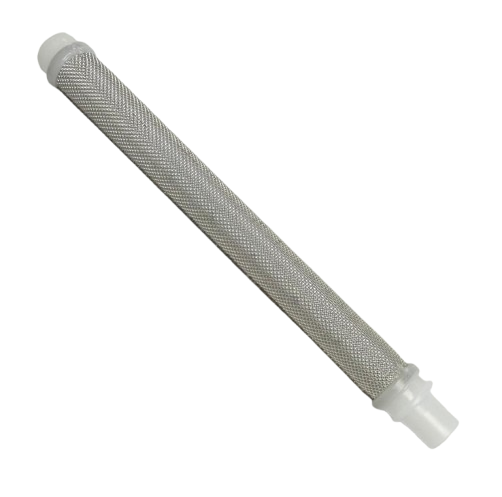
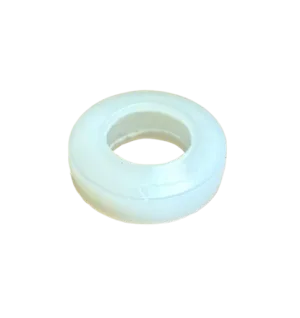
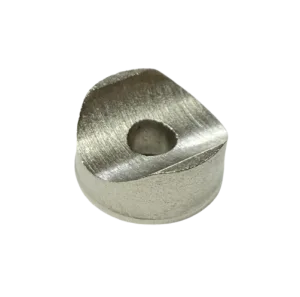
Titan notes that a worn tip has a wider orifice so pressure falls and the pattern gets coarse. If you see tailing, change the tip first: a TR1 tip such as 697-419 is the easy test, and the 850 accessories page lists others. Then clean the 581-060 gun filter, and check the tip seal (651-020 or 0297007) for damage.
Keep it consistent through a long day
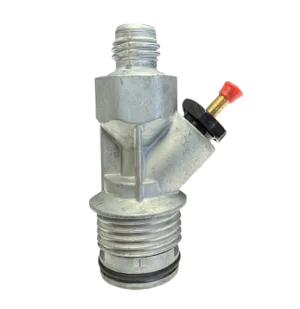
Press the AutoOiler 2 to 3 times before each use, as the manual says, and keep the paint strained. If the pump begins to lose prime, look at the inlet and suction side. Our 850 drive assembly page shows the inlet valve and repacking kit, and the spray gun page shows the small parts that wear. Relieve pressure before you clean or service anything, and flush the pump after the job.
Parts that keep lines sharp, with live pricing:

Bottom line
Sharp edges come from a marked layout, a locked wheel, a steady gun and pace, and a fresh tip and filter. For a part that fits your machine, call (713) 931-0006 with your model and serial number.
Not Sure Which Part You Need?
Send us your model and serial number and we will confirm the exact part before you order. Or find it yourself in the parts diagrams.
(713) 931-0006Order by Parts Diagram