Titan 805-401 Digi-Trac Display
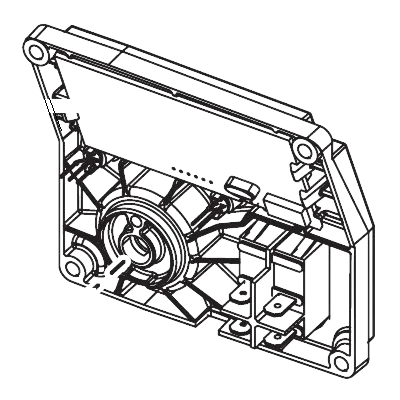
805-401 is a Digi-Trac display module used on compatible Helix and Impact sprayers. This digital interface provides real-time readings of pressure, system status, and diagnostic information, allowing operators to monitor and adjust sprayer performance with precision. Replace a dim, unresponsive, or damaged display to restore full control and visibility.
| Part Number | 805-401 |
|---|---|
| Part Description | Digi-Trac Display |
| Brand | Helix / Impact |
| Fits | Helix LP, FR, VR; Impact 1140, 640, 840, 1140I/IA, 840I/IA, 640I/IA |
| Condition | New |
Digi-Trac Display for Helix and Impact Sprayers
The 805-401 Digi-Trac display is an OEM electronic interface module used on select Helix and Impact sprayer models. It provides operators with clear digital readouts of critical parameters such as current pressure, system alerts, and maintenance reminders, enabling precise control and efficient troubleshooting.
Over time, display screens may dim, develop missing segments, or fail completely due to electrical issues, moisture exposure, or physical damage. A malfunctioning display can leave the operator without essential feedback, leading to improper pressure settings or undiagnosed problems. Replacing it with this genuine Digi-Trac module restores full visibility and control, ensuring optimal sprayer performance.
What it does and when to replace it
| Pressure monitoring | Shows real-time operating pressure |
|---|---|
| System diagnostics | Displays fault codes and maintenance alerts |
| Operator interface | Allows adjustment of pressure settings and system parameters |
| Blank / no display | Screen remains dark despite power |
|---|---|
| Dim or faded | Difficult to read even in good light |
| Missing segments | Numbers or letters incomplete |
| Unresponsive controls | Buttons do not change settings |
Compatibility
Part 805-401 is designed for use on the following Helix and Impact models. Always verify fitment by consulting your machine's parts manual.
| Brand | Model |
|---|---|
| Helix | LP, FR, VR |
| Impact | 1140, 640, 840 |
| Impact | 1140I / 1140IA |
| Impact | 840I / 840IA |
| Impact | 640I / 640IA |
Related parts commonly serviced together
When replacing the display, inspect these associated components to ensure complete system reliability.
The display connects to the main board; verify board function if display issues persist.
Check for loose, corroded, or damaged wires at the display connection.
If pressure readings are inaccurate, the sensor may need replacement.
Frequently Asked Questions
No reviews yet. Be the first to review this product!